Apple Pencil settings
If you're working with Pixelmator Pro on an iPad (using Sidecar), you can speed up certain actions using the double-tap gesture of Apple Pencil.
To open Apple Pencil settings:
- Choose Pixelmator Pro > Settings from the menu bar and choose Pencil.
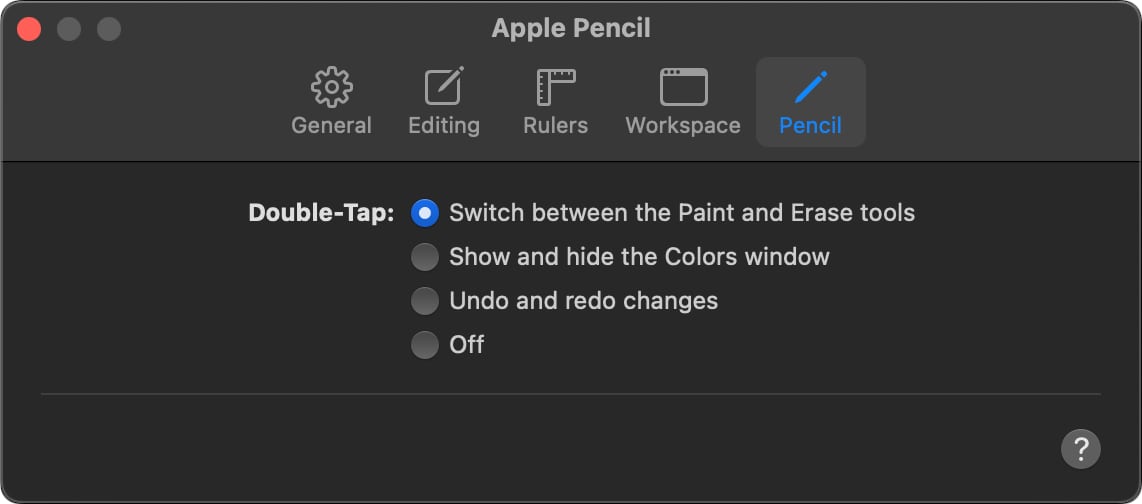
Set the Apple Pencil settings#
Select the action you'd like to assign to the double-tap gesture:
- Switch between the Paint and Erase tools: Lets you quickly switch between painting and erasing which can be useful when creating traditional paintings.
- Show and hide the Colors window: Lets you quickly choose, pick, or save colors to and from the macOS-native Colors window.
- Undo and redo changes: Quickly undo or redo actions while working on your designs.
- Turn off the double-tap gesture for Apple Pencil: The double-tap gesture will have no special actions assigned to it.